> For the complete documentation index, see [llms.txt](https://docs.finch3d.com/llms.txt). Markdown versions of documentation pages are available by appending `.md` to page URLs; this page is available as [Markdown](https://docs.finch3d.com/docs/projects-and-variants/story-editor/generate-unit-mix-and-corridors.md).
# Generate Unit Mix & Corridors
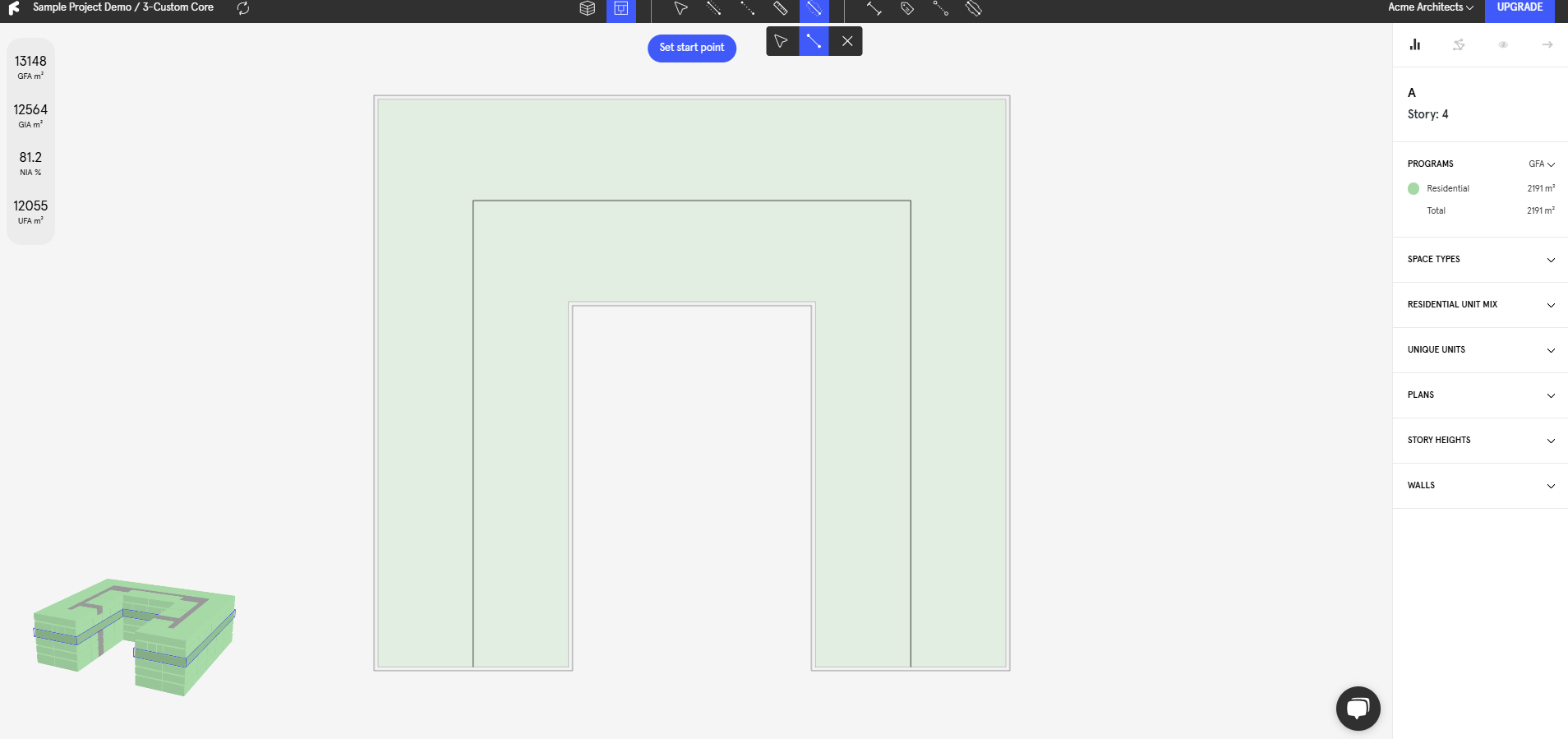
### 1. Add a centerline
* Click on the Centerline icon
* Draw a centerline
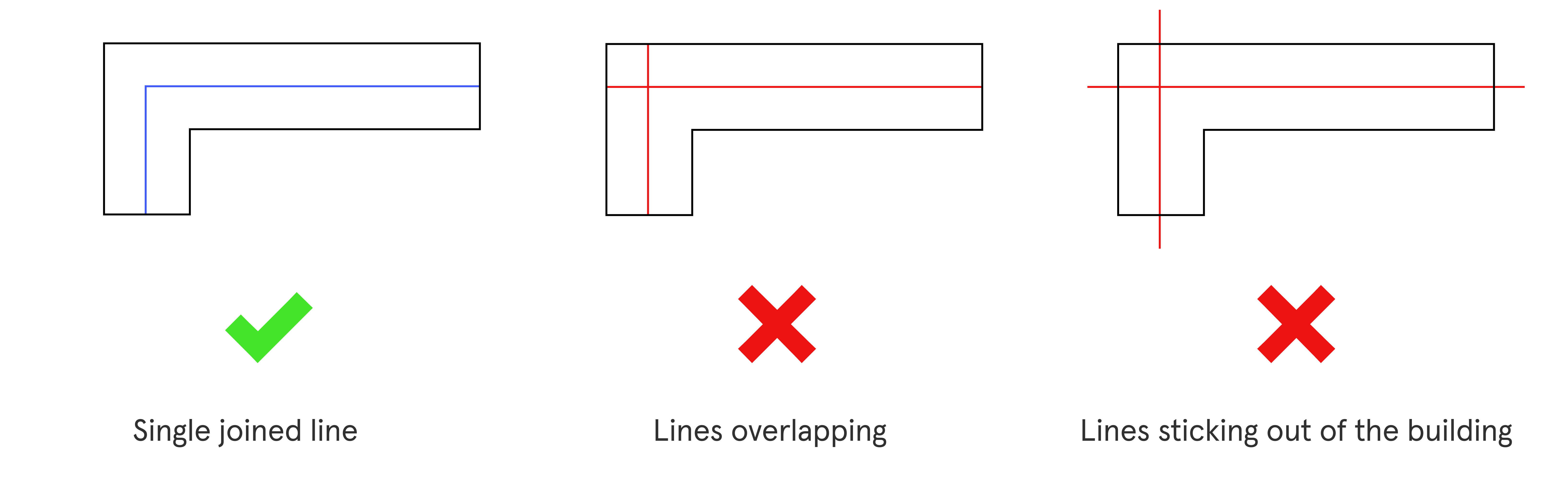
{% hint style="warning" %}
A centerline controls the placement of Finch generated corridors. It represents the centerline of the corridor itself (if you input a 2m corridor, the corridor will be offset both sides of the centerline by 1m).
{% endhint %}
### 2. Start the generation
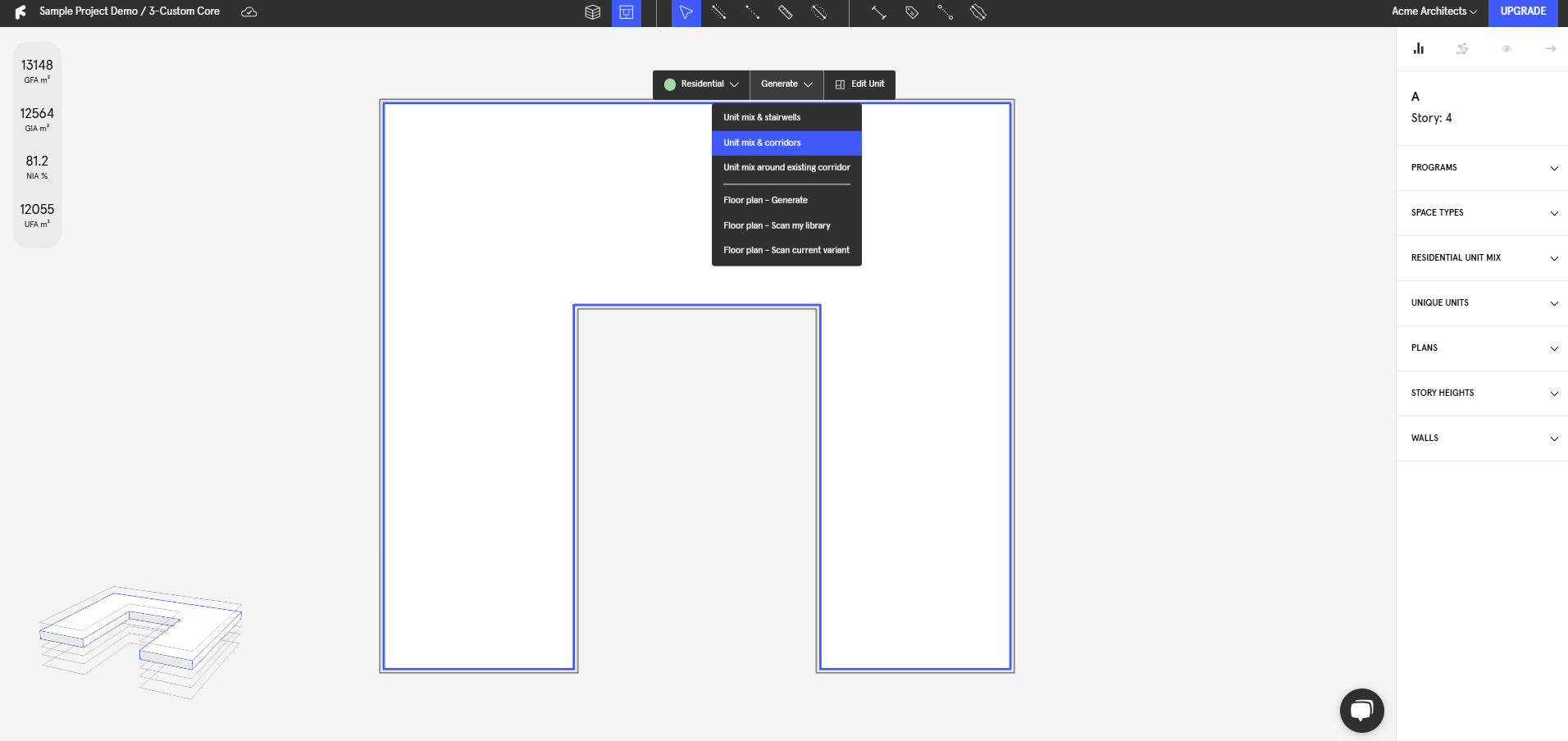
* Select the areas you want to generate in (hold shift to select multiple) and hit **`Generate Floor Plate`** on the **`Context Menu`**.
* The generation will begin to run.
### 3. Adjust the settings
{% hint style="info" %}
The more iterations that run, the more accurate the result will become.
{% endhint %}
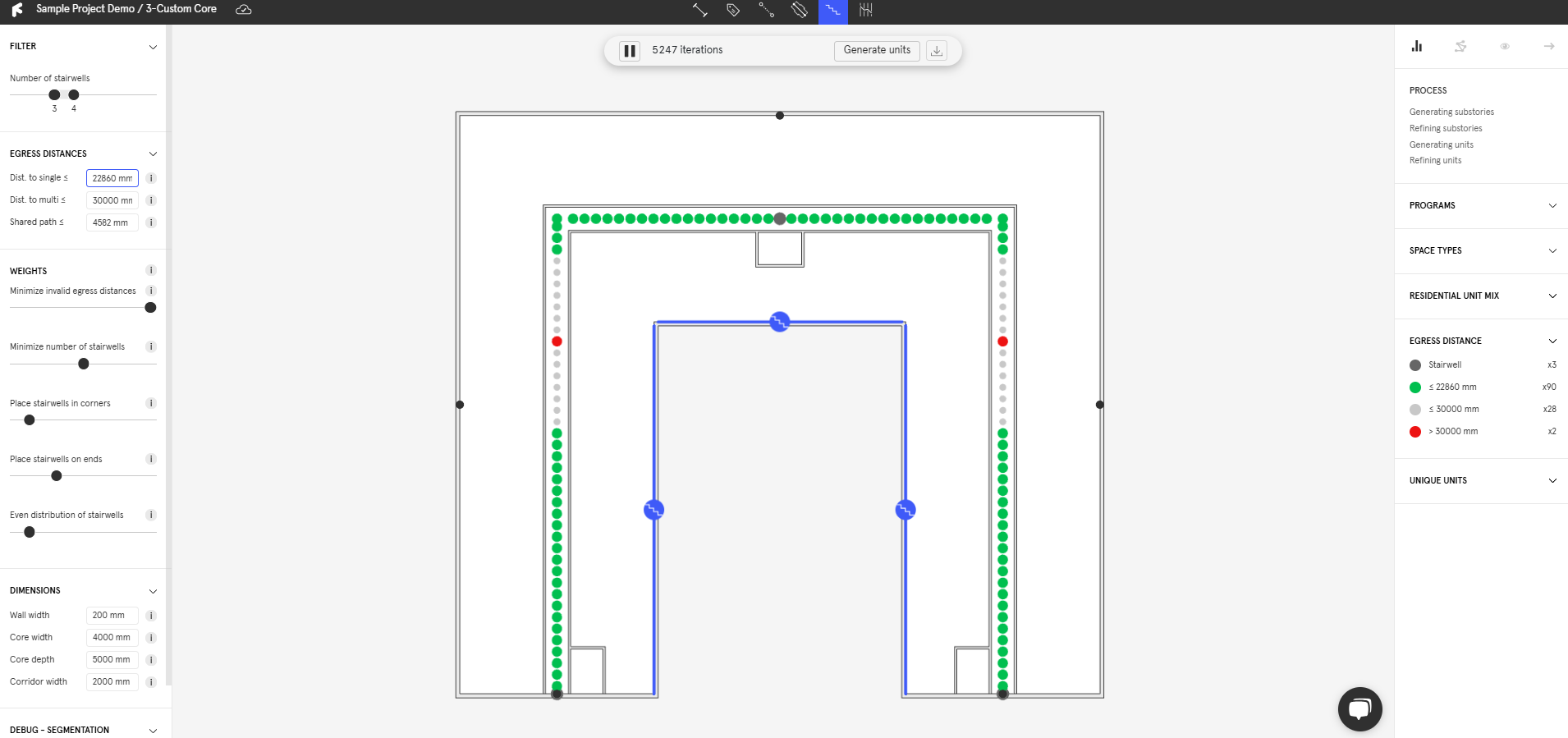
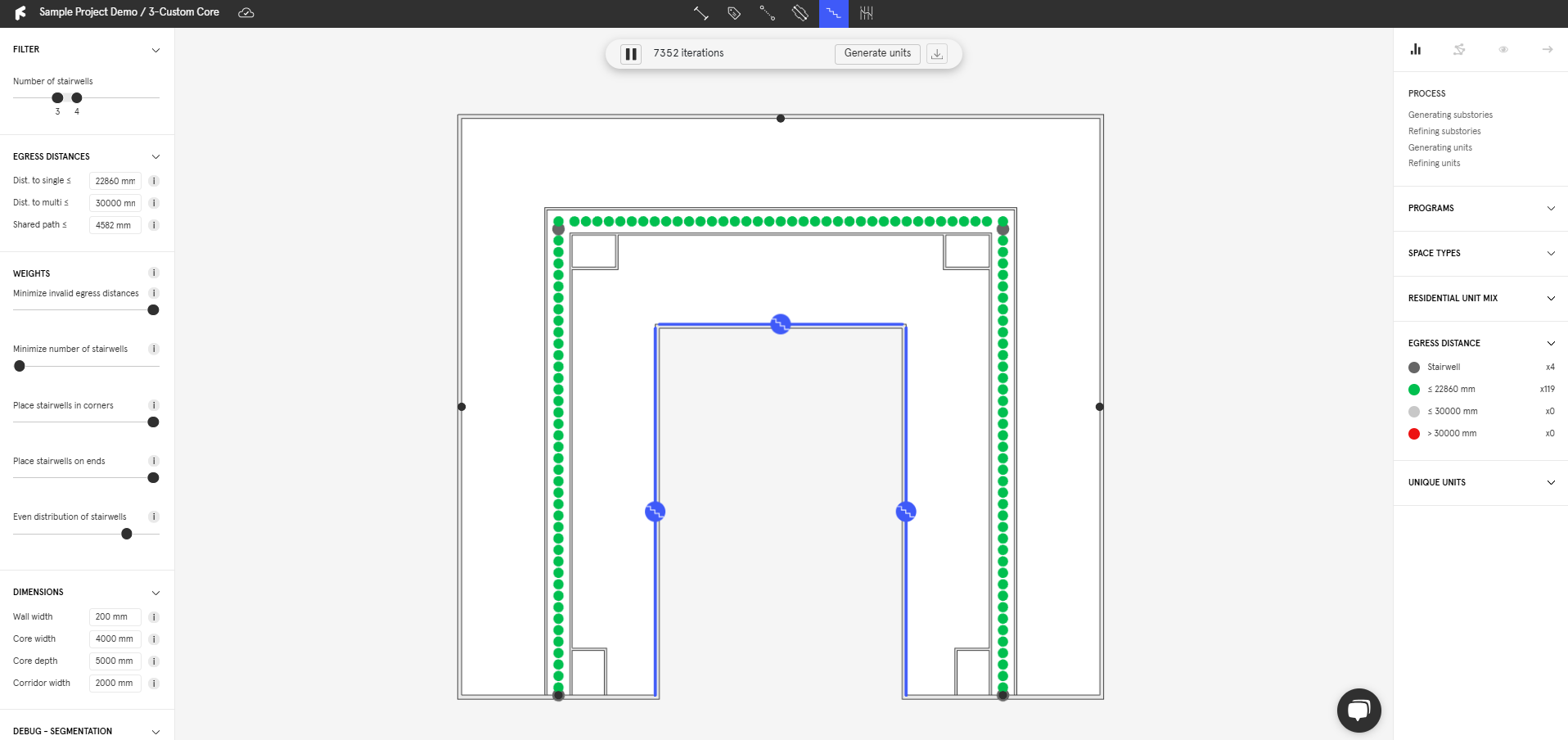
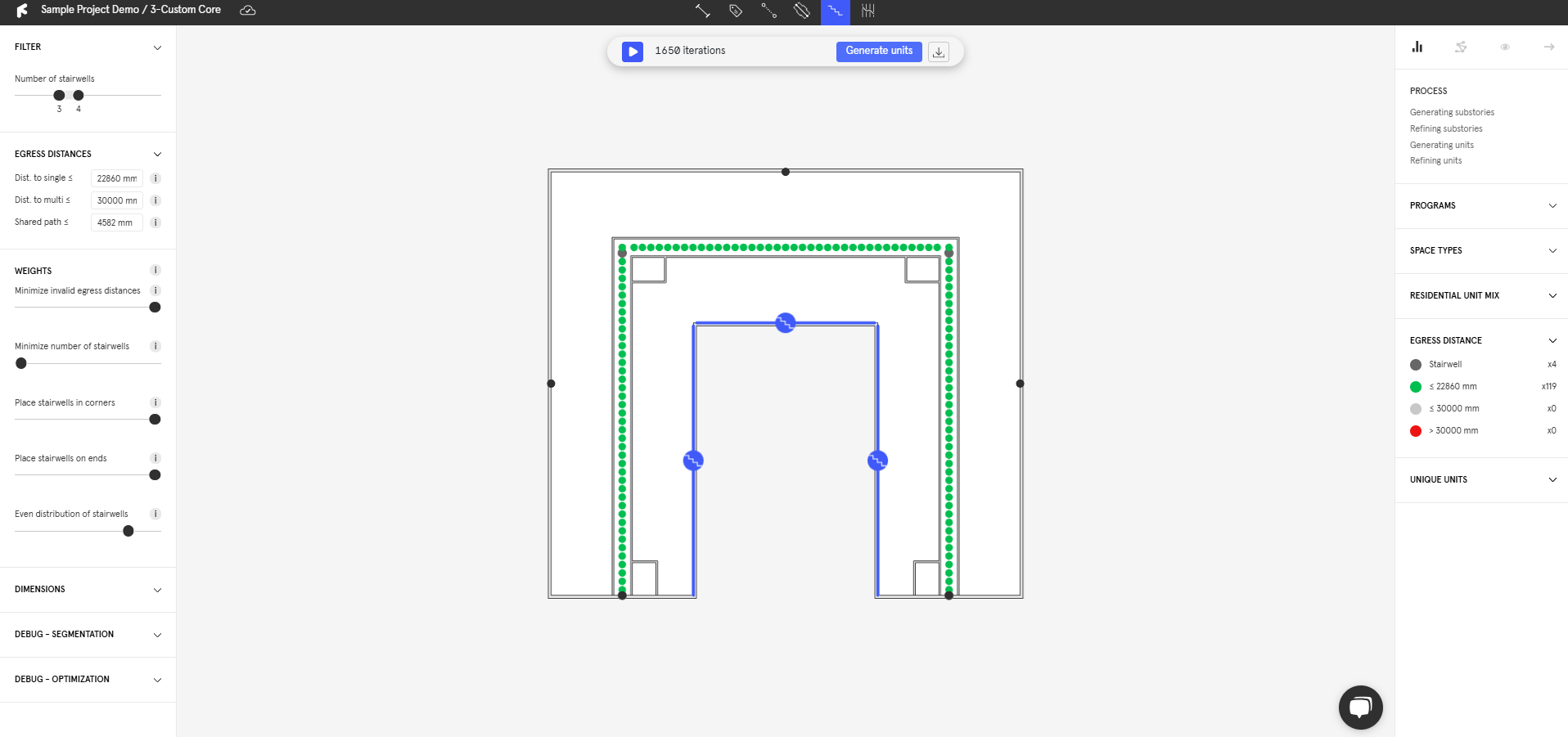
* Input the desired **`Stairwell range`** in the upper left panel.
* Input your **`Maximum egress distances`** to generate according to exit distances.
* Use **Stairwell Attractors** (shortcut S) to control which facade the stairwells face.
* Adjust **`Dimensions`** to customize further.
### 4. Weights to influence the scoring
{% hint style="info" %}
Users can continously change parameters to interact with the algorithm throughout the generation process.
{% endhint %}
* In the bottom left corner, interact with the algorithm weights to optimize for certain metrics.
* Metrics with their sliders further to the right will be prioritized.
### 5. Generate units
* Once you are satisifed with the corridor placement, **`pause`** the algorithm and click **`Generate Units`**.
* Follow the instructions on how to [generate around a custom core](https://docs.finch3d.com/floor-plate-studio/generate-unit-mix-around-circulation).
{% content-ref url="/pages/W6veFuxT6AO11gmW9K7M" %}
[Generate Unit Mix around Circulation](/docs/projects-and-variants/story-editor/generate-unit-mix-around-circulation.md)
{% endcontent-ref %}
***